Wan 2.5
A reliable baseline model for lightweight AI video generation, quick tests, and simple creative workflows.
- 1080p video output
- Text-to-video support
- Standard motion quality
Create AI videos with Wave AI from text, images, video, audio, and supported documents. Built with the latest Wan 3.0 technology, Wave AI supports videos up to 30 seconds and 1080p with flexible reference and editing tools.
Explore the evolution of Wan AI video models from 2.5 to 3.0. Each version improves video quality, motion control, and creative flexibility — with Wan 3.0 now live for longer, more consistent, and more directed AI video workflows.
A reliable baseline model for lightweight AI video generation, quick tests, and simple creative workflows.
An upgraded Wan model with improved visual quality, image-to-video support, and better prompt interpretation.
A strong production-ready option for creators who need stable 1080p AI video generation with improved motion consistency.
The latest Wan AI model with up to 30-second video workflows, stronger subject consistency, and flexible text, image, and reference controls.
Wan 3.0 makes AI video creation easier, sharper, and more controllable. It helps you turn text prompts or images into polished videos with better motion, stronger subject consistency, longer video duration, multimodal reference control, audio sync, and smoother multi-shot storytelling. It also brings a stronger understanding of real-world physics and facial expressions at a competitive price. Want a closer look before you start? Read our Wan 3.0 review for key features, use cases, and practical tips.
Wan 3.0 supports videos up to 30 seconds long, giving creators more room for complete scenes, story beats, and product moments. Choose 480P, 720P, or 1080P output for your project.
Longer duration is not just about more seconds. With Wan 3.0, creators can build fuller visuals for ads, product videos, social content, cinematic concepts, and brand campaigns that need a more professional finish.
Wan 3.0 helps reduce one of the biggest problems in AI video generation: characters changing from frame to frame. Faces, outfits, and key visual details stay more consistent, even when your video includes multiple people, moving scenes, or complex shots.
This makes Wan 3.0 more useful for story videos, product campaigns, social ads, and branded content where the subject needs to look the same from beginning to end.
Wan 3.0 gives you more control over how your video moves and feels. You can guide the camera with simple directions like push in, pull back, pan, follow, or orbit, making it easier to create shots that feel intentional instead of random.
Whether you are making product visuals, social videos, story scenes, or cinematic concepts, Wan 3.0 helps match the final video more closely to your prompt.
Compare Wan 2.5, Wan 2.6, Wan 2.7, and Wan 3.0 to choose the right AI video model for your workflow. Earlier versions are still useful for fast 1080p generation, while Wan 3.0 unlocks longer video workflows, stronger consistency, and more advanced creative control.
| Feature / Spec | Wan 2.5 | Wan 2.6 | Wan 2.7 | Wan 3.0 ✦ |
|---|---|---|---|---|
| Output resolution | 1080p | 1080p | 1080p | 480P, 720P & 1080P |
| Generation speed | Fastest | Fast | Standard | Optimized for quality |
| Motion consistency | Standard | Improved | Professional | Enhanced |
| Text to Video | Yes | Yes | Yes | Improved |
| Image to Video | Yes | Yes | Yes | Improved |
| Multi-subject consistency | Basic | Basic | Partial | Stronger |
| Camera control | Basic | Basic | Advanced | Upgraded |
| Audio generation | Yes | Yes | Yes | Improved |
| Generation access | Live | Live | Live | Live |
| Best for | Quick tests | Image-to-video workflows | Stable 1080p creation | 30-second AI video workflows |
| Status | Stable | Stable | Stable | Now Live |
Generate with Wan 3.0 for videos up to 30 seconds, stronger subject consistency, smoother motion, and more control over camera movement. Wan 2.7 remains available for fast, reliable 1080p generation.
Wan 3.0 helps creators, brands, and production teams turn ideas into polished videos faster. Use it for text-to-video creation, image-to-video animation, product ads, social content, and cinematic pre-visualization. Explore real examples, prompts, and results in the Wan 3.0 Showcase.
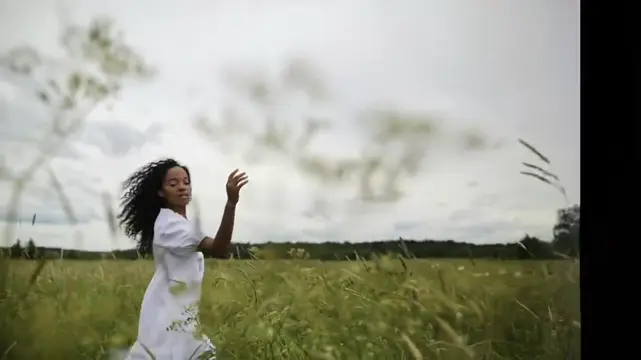
Short-Form Content Creation
Use Wan 3.0 to turn text prompts or images into short-form videos for TikTok, YouTube Shorts, Reels, and other social platforms. With faster iteration, stronger consistency, and better creative control, it helps creators produce more content without starting from scratch every time.
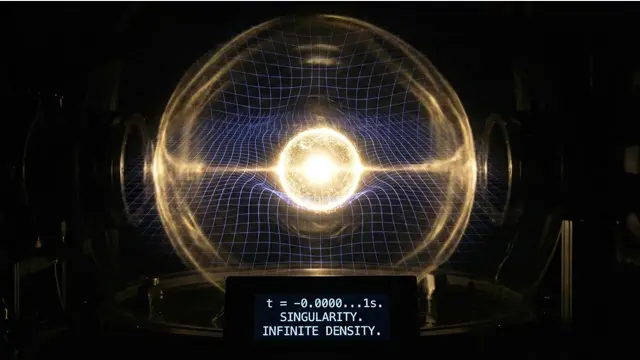
Brand Marketing & Advertising
Wan 3.0 makes it easier for marketing teams to create product videos, ad creatives, and branded content online. Higher-resolution output, stronger subject consistency, and smoother motion help turn product ideas into usable campaign visuals faster.

Film & Pre-Visualization
Wan 3.0 helps directors, filmmakers, and creative teams turn scripts, shot ideas, and scene concepts into visual references. Use it for storyboards, pitch materials, camera planning, and early creative exploration before full production begins.
Wave AI Video Generator is an independent AI video creation platform built with the latest Wan 3.0 technology. Create videos from text, images, video, audio, and supported documents with flexible multimodal generation and editing workflows.
Wan 3.0 can be used for product videos, ads, social content, cinematic scenes, explainers, concept videos, and reference-driven creative projects.
Wan 3.0 supports video generation up to 30 seconds, giving creators more room for product demos, advertising concepts, multi-step scenes, and short-form storytelling.
Yes. Wan 3.0 supports video output up to 1080p, making it suitable for product content, advertising, websites, presentations, and other higher-resolution workflows.
Wan 3.0 supports multimodal workflows using text, images, video, audio, and supported documents, so you can start with the source material that best fits your project.
Yes. Upload an image and describe the motion, camera direction, environment, and ending you want. Wan 3.0 can use the image as visual guidance for the generated video.
Yes. Wan 3.0 supports reference-based workflows that can use images, video, and audio to guide subjects, motion, camera behavior, style, sound, and other creative details.
Yes. Wan 3.0 supports audiovisual generation workflows, allowing dialogue, ambience, sound, and other audio direction to become part of the video creation process.
Yes. Wan 3.0 supports flexible editing workflows, letting you refine parts of a generated video instead of starting the entire project over.
Yes. Wan 3.0 can use supported documents as part of a multimodal workflow, making it useful for turning presentations, reports, product information, and other structured content into video.
Want a practical walkthrough? Start with the Wan 3.0 step-by-step guide.
Wan 3.0 is live for cinematic AI video — text, image, and reference-to-video up to 30 seconds. Start creating free today.
12,000+ creators using Wan AI · Free to try · No credit card required